

TLDR
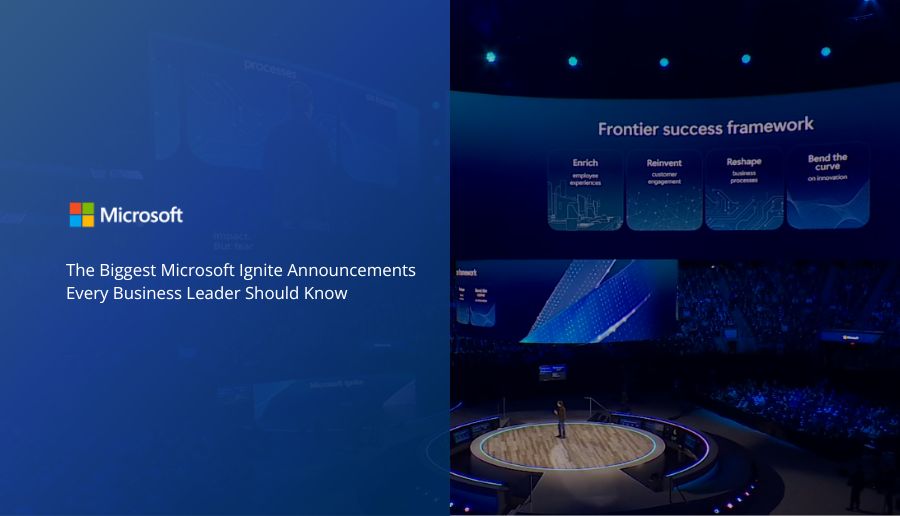
Microsoft Ignite introduced major updates that change how companies adopt AI across the Microsoft ecosystem. The biggest theme is agentic computing becoming part of daily work through Microsoft Agent 365, new Teams and SharePoint Admin Agents, Power Platform enhancements, and deeper Copilot abilities.
These releases help organizations automate tasks, govern AI safely, and move closer to connected, AI-driven operations.
This page summarizes the updates in simple language so leaders can understand what changed, why it matters, and how to prepare.
What new AI capabilities were announced at Microsoft Ignite?
Microsoft announced new AI agents, security updates, Copilot features, and Power Platform improvements that give organizations more ways to automate daily work. These updates help companies manage agents, reduce admin work, and build secure AI solutions faster.
Below is a breakdown of each announcement with explanations written for decision makers and IT leaders.
What is Microsoft Agent 365 and how does it help organizations manage AI agents?
Microsoft Agent 365 is a new control plane inside Microsoft 365. It is designed to help IT leaders manage AI agents the same way they manage users.
Agent 365 includes:
- A full registry of all agents, including shadow agents
- Role and access policies with risk warnings
- Real-time behavior visualizations
- Integration with Microsoft 365 apps and Work IQ
- Built-in security through Microsoft Defender, Entra, and Purview
The goal is to give organizations confidence that their agents are secure, monitored, and aligned with business policies.
How do the new Sales AI Agents improve sales operations?
The new Sales Development Agent is a fully autonomous agent that researches leads, qualifies them, and begins outreach.
It helps sales teams:
- Respond to leads faster
- Personalize outreach at scale
- Automate repetitive follow-ups
- Keep CRM data clean
It works with Agent 365 governance so the activity is visible and compliant.
How do AI agents work inside Microsoft Teams Channels?
Microsoft introduced Teams Channel Agents that work inside regular Teams channels.
These agents can pull data from apps such as GitHub, Asana, and Jira. They use the Model Context Protocol (MCP), so they can read data and help teams schedule work, identify risks, or surface next steps.
This allows project teams to collaborate with AI agents as if they are members of the channel.
This feature is currently in preview.
What new agents support HR, learning, and workforce insights?
Three new agents help leaders understand their teams and provide personalized learning [Microsoft Ignite 2025 Book of News].
Workforce Insights Agent
Gives leaders real-time views into organizational health, workloads, skills, and trends.
People Agent
Helps employees find the right internal contacts by role, skill, or experience.
Learning Agent
Creates personalized learning paths based on projects, goals, or team skill gaps.
What new admin agents help IT teams manage Microsoft 365?
Two major admin agents were announced.
Teams Admin Agent
Automates tasks like user provisioning, meeting troubleshooting, and configuration checks.
SharePoint Admin Agent
Identifies inactive sites, monitors permission sprawl, suggests policy fixes, and optimizes storage.
These agents reduce manual admin work and provide clearer reporting across the environment.
How did Copilot Chat and Microsoft 365 Copilot change?
Microsoft announced multiple enhancements to Copilot that improve content creation, productivity, and daily collaboration [Microsoft Ignite 2025 Book of News].
Key updates include:
- Copilot Chat creates interactive Pages for ideas and projects
- New Word, Excel, and PowerPoint agents that work inside the apps
- Agent Mode inside PowerPoint for iterative slide creation
- Outlook Copilot voice interactions, mobile scheduling, and inbox triage
- Voice controls for natural conversation
- Copilot Notebooks with AI-generated video summaries
- Copilot can build SharePoint pages and lists from simple instructions
- New SMB pricing at 21 dollars per user per month
What new capabilities were added to the Power Platform and Copilot Studio?
Microsoft introduced updates that help makers and developers build AI-ready apps faster. [Microsoft Ignite 2025 Book of News].
Key Power Platform updates:
- New maker workspace for building multi-page apps
- Conversational AI inside Power Apps
- Power Apps MCP Server for standardized agent integrations
Key Copilot Studio updates:
- Agent evaluations for automated testing
- Real-time monitoring and secure hosted browsers
- Entra Agent ID for identity and lifecycle management
- Agents can now create Word documents, Excel files, or PowerPoint slides
- Dataverse MCP Server for natural language data queries
- Dataverse SDK for Python for deeper AI integration
These features help developers build scalable, enterprise-grade agent solutions.
What security and governance tools were introduced to support AI adoption?
Microsoft released multiple features that strengthen AI governance and data protection.
New capabilities include:
- Baseline Security Mode for recommended secure configurations
- Purview Data Loss Prevention for Copilot prompts
- Agent Dashboard for adoption and usage analytics
- Overshared link remediation inside Purview
- AI observability features to monitor agent activity
These updates help organizations adopt AI with clear guardrails.
What updates were made to Windows, devices, and Copilot+ PCs?
New device-level updates include:
- Hardware accelerated BitLocker
- New Copilot+ PCs with offline AI speech recognition and rewriting
- Windows 365 Link device expected in early 2026
- Regional host pools and hosted networks for more reliable Cloud PCs
These features support companies with hybrid or distributed teams.
“Windows is becoming the canvas for AI. Copilot and your AI agents live directly inside the OS, which is important because organizations need governance, security, and visibility at the operating system level. With over a billion users connecting to Copilot through Windows, this integration is foundational for how people will work going forward.”
Isabell Sheang
Microsoft Head of GTM & Product Marketing | TMC Board of Directors
How did Microsoft enhance Teams, content creation, and CX workflows?
Core collaboration updates include:
- Teams Channel agents that unify project and task data
- Better automation for scheduling and workflow alignment
- Enhanced Copilot tools for creating branded campaigns, onboarding content, and explainers
- Voiceover, music, and editing improvements that support marketing teams
This makes Teams a central place for project work supported by agent [Microsoft 365 Blog 2025].
What are the biggest updates in Azure and data services?
Azure received major AI and data enhancements [Microsoft Ignite 2025 Book of News]..
Key updates include:
- AzureLocal rebrand and Azure Stack HCI consolidation for offline and private data centers
- Native Postgres and SQL Server on Azure Fabric
- Microsoft Foundry updates for secure agent experiences
- New model router for optimized AI model usage
Azure is becoming more unified for structured and unstructured AI workloads.
What does all of this mean for business and IT leaders preparing for 2026?
The main message from Ignite is that AI agents will soon touch every part of daily work.
“Where organizations start depends on their AI maturity, but for most, the next step is adopting Microsoft 365 Copilot and creating lightweight agents for frontline teams. Sales, marketing, HR, and operations are closest to daily work that benefits immediately from AI. The goal is to build habits with Copilot and let agents support routine tasks.”
Isabell Sheang
Microsoft Head of GTM & Product Marketing | TMC Board of Directors
To prepare, organizations should:
- Map current processes to new agent capabilities
- Review security posture and data governance
- Identify quick-win automation opportunities
- Create department level AI enablement plans
- Build a simple adoption path for Copilot and domain agents
How is TMC aligned with Microsoft’s new AI and agent announcements?
TMC has been working toward an AI-first approach across the entire Microsoft stack for more than a year. The Ignite announcements confirm that the industry is moving toward connected, agent-driven work, which is exactly where we have been guiding our clients. These updates reinforce the importance of having a partner who can understand the full ecosystem, not just one product.
“The shift toward Work IQ and native agent integration highlights how important connected data, process maturity, and cross-system visibility are for successful AI outcomes”
Isabell Sheang
Microsoft Head of GTM & Product Marketing | TMC Board of Directors
Our work already focuses on:
- Designing AI workflows across Dynamics 365, Microsoft 365, and Azure
- Helping teams adopt Copilot and domain agents with clear guardrails
- Building processes that connect data across the stack
- Supporting secure governance using Microsoft Defender, Purview, and Entra
- Advising leaders on responsible AI adoption and change management
This means our clients can move faster because the foundation is already in place. As Microsoft adds new agents, admin automations, and connected insights, our role is to help companies map these updates to their existing tools so they can see results quickly.
What does this mean for TMC customers?
These updates allow our clients to take the next step with AI without adding new systems or complex projects. Because our team works across ERP, CRM, Azure, security, and productivity apps, we help clients understand how all of these new agent capabilities fit into their current environment.
Clients can expect support with:
- Identifying where agents can reduce work
- Improving security and governance as AI expands
- Connecting data across Dynamics, Teams, SharePoint, and Power Platform
- Building simple pilot workflows before scaling
- Helping leaders understand the roadmap and plan ahead
The biggest shift is that AI will no longer live inside a single app. Agents will work across an entire environment, which makes a full-stack partner essential. Our role is to help clients adopt these tools with confidence and make sure every team benefits from Microsoft’s direction.
Key Takeaways
- Microsoft is shifting to fully agentic work across Microsoft 365, Teams, SharePoint, Power Platform, and Azure
- Agent 365 is now the control layer for managing AI safely and at scale
- Copilot continues to evolve with voice features, app-specific agents, and interactive Pages
- Power Platform and Copilot Studio updates make AI-driven apps easier to build
- New admin agents reduce overhead for IT teams
- New Azure data capabilities support hybrid, local, and cloud AI workloads
- Security and governance tools ensure safer adoption across the stack
FAQs
How do I know if my organization is ready for agents?
Start by assessing your data quality, security posture, and daily workloads that rely on manual tasks.
Do Copilot features work with non Microsoft apps?
Yes, through connectors, MCP, and Power Platform integrations.
How do I choose between Copilot and a full AI agent?
Use Copilot for personal productivity. Use agents for tasks that need repeatability, monitoring, and governance.
What investment is needed to get started with agents?
Most organizations begin with small pilot workflows in sales, finance, support, or operations.
Related posts:
 How Autonomous Agents Can Give Your Business a Competitive Edge
 Key Takeaways from Microsoft’s Business Applications Partner Summit 2025
 4 Reasons Why Gartner Names Dynamics 365 CRM a Leader for Sales Force Automation Platforms
 Inside the Power Platform Conference 2025: How Microsoft Is Redefining App Development with AI Agents